Hey everyone, Welcome back! It’s been months we met in our blogging journey. But, we are back with a bang! In this blog we will add authentication to the very simple microservice we have developed in our previous blog. Let’s go ahead.
Authentication
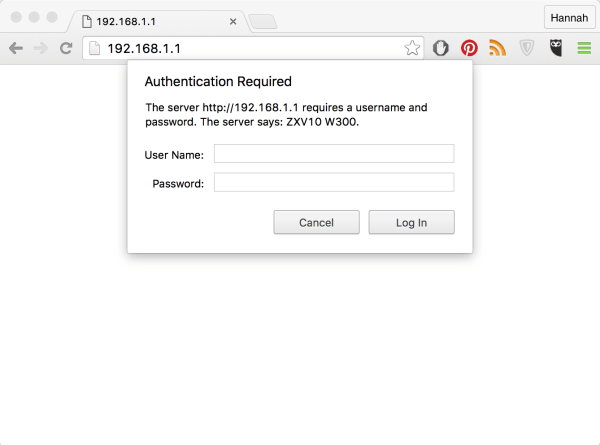
Hmmm! What’s authentication and why do we need it in a microservice? Authentication, in our terms is to validate the identity of the incoming request on our microservice. Using authentication, we can limit the access to the people/software with valid credentials. In this post, we will implement very basic authentication where we use username and password to validate incoming client.
Let’s Code
As we are trying to add authentication to our microservice, let’s go ahead and add another handler in our handlers.go file. Add the following code to the file, then we will go through what’s in it.
func AuthHandler(h http.Handler) http.HandlerFunc {
	return func(rw http.ResponseWriter, r *http.Request) {
		user, pass, ok := r.BasicAuth()
		if ok {
			username := sha256.Sum256([]byte(os.Getenv("USER_NAME")))
			password := sha256.Sum256([]byte(os.Getenv("USER_PASS")))
			userHash := sha256.Sum256([]byte(user))
			passHash := sha256.Sum256([]byte(pass))
			validUser := subtle.ConstantTimeCompare(userHash[:],username[:]) == 1
			validPass := subtle.ConstantTimeCompare(passHash[:],password[:]) == 1
			if validPass && validUser{
			    h.ServeHTTP(rw,r)
				return
			}
		}
		http.Error(rw, "No/Invalid Credentials", http.StatusUnauthorized)
	}
}
We have defined an HTTP handler, which takes another http handler as input, unlike our previous one’s. We will get to know about this in a while. Keeping that aside, we will focus on the functionality of this handler.
We read the username and password from the incoming request using r.BasicAuth method by standard httpRequest, which gives us the username, password coming from the request if present. The ok variable tells us if the credentials are provided or not.
Now, we have the username and password coming from the request. We will compare them with what we have configured in the environment. We did comparison using subtle.ConstantTimeCompare method.
Note: We did use sublte.ConstantTimeCompare instead of the normal comparison using == operator returns not equal on the first invalid match between strings. This helps the attackers in knowing the number of characters matched by making use of time taken to reject the request.
We used the sha256 hash, as the sublte.ConstantTimeCompare might leak length of the string when used directly.
Now let’s go ahead and add this AuthHandler as a pre-handler for all of our previously defined handlers. Open main.go file and replace the existing code with following.
package main

import (
	"fmt"
	"net/http"

	"github.com/HelloWorld/goProductAPI/handlers"
	"github.com/gorilla/mux"
)

func main() {
	// Create new Router
	router := mux.NewRouter()
	// route properly to respective handlers
	router.Handle("/products", handlers.GetProductsHandler()).Methods("GET")
	router.Handle("/products", handlers.CreateProductHandler()).Methods("POST")
	router.Handle("/products/{id}", handlers.GetProductHandler()).Methods("GET")
	router.Handle("/products/{id}", handlers.DeleteProductHandler()).Methods("DELETE")
	router.Handle("/products/{id}", handlers.UpdateProductHandler()).Methods("PUT")

	// Create new server and assign the router
	server := http.Server{
		Addr:    ":9090",
		Handler: handlers.AuthHandler(router),
	}
	fmt.Println("Staring Product Catalog server on Port 9090")
	// Start Server on defined port/host.
	server.ListenAndServe()
}
The change to our previous code happens on line 24, where we pass our mux router as a parameter to our AuthHandler which is used as the primary handler of our HTTP server.
Boom 💣💣. We have added Basic Authentication to our existing microservice. Let’s go ahead and test this.

Testing Time
Go to Postman and create a new request. In the authorization tab, choose the Basic Auth and fill in the username and password with the one’s you have configured in your environment.

If the entered credentials are valid, you will see the response as in the screenshot, else you might see the below 👇

Note: Check if you have configured the USER_NAME and USER_PASS environment variables before running our service using the below command.
go run ./main.goHmm! That’s it for todays blog. We have seen how to implement very basic authentication in a Golang Microservice. Here’s the link to our GitHub repo for the complete code. Ok!, so how can I restrict access on a specific handler but allow on the other based on credentials?
Well that’s a good question and we will answer that in our upcoming blog. Until then, stay safe, stay tuned. Cheers ✌.

 Hello World!
4 responses to “Microservices in Go – Part 3 : Basic Authentication”
[…] Hey everyone, Welcome to the fourth blog in our Microservices in Go series. Until now, we have seen how to use standard http package to create a REST API in Go. We have also seen how to add basic authentication to our REST API. […]
LikeLiked by 1 person
[…] That’s obvious as we have authentication in place. If you want to check that out, visit this blog. But, why’s the page insecure, because we have used self signed certificates. We might use a […]
LikeLiked by 1 person
[…] Note that we have added authorization header, because our server has basic auth enabled. Refer to this blog for more […]
LikeLike
[…] will be used for Basic Auth in our microservice. If you want to know, how we did it head over to this blog on our […]
LikeLike